
How to Create Faceless Videos with AI: Complete Guide
Complete guide to create faceless videos up to 65 seconds with AI. Flexible scene count, total coherence, automatic script, visuals and voice. No editing required.
Published: 2026-01-12
Author: VidMakerPro Team
How to Create Faceless Videos with AI: Complete Guide
Faceless videos are dominating TikTok, YouTube Shorts, and Reels.Millions of views, zero camera time.Here's exactly how to create them.
What Makes VidMakerPro Different ?
The Problem with Other AI Tools: - Generate clips of only 3 - 15 seconds - No coherence between scenes(characters change randomly) - Require hours of manual editing - No voice, no subtitles includedVidMakerPro Solution:
- ✅ Videos up to 60 seconds (not just clips)- ✅ Total scene coherence with AI visual memory
Real Success Story: Dr.Philmen
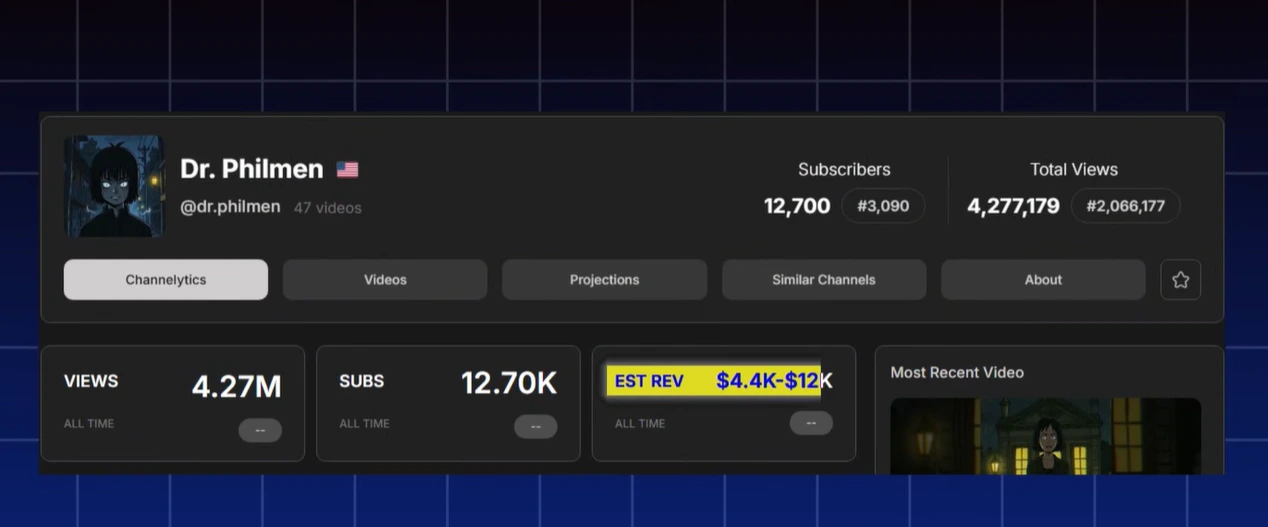
Results with faceless content:
- 📊 12, 700 subscribers - 👀 4.2 Million total views - 💰 Estimated Revenue: $4.4K - $12K - 🎬 47 videos (all faceless)Step - by - Step Process
Step 1: Enter Your Idea
Go tovidmakerpro.com and click AI Write. Type your video idea. Example: "A story about a programmer who discovers his code is becoming sentient"Step 2: Choose Duration
Select how long you want your video:- 15s (3 scenes) - Quick shorts
Step 3: Select AI Voice
Choose from curated ElevenLabs voices plus the Voice Library. The voice matches your content tone automatically.Step 4: Pick Generation Model
- Nano - Banana : Fast, efficient generation - Seedream 4 : Higher quality(4K), more creative freedomKey Feature: Both models maintain total coherence between scenes .Your characters stay consistent throughout the entire video.
Step 5: Choose Visual Style
Pick your aesthetic.The AI generates consistent visuals matching your style across ALL scenes.Step 6: Add Subtitles(Optional)
Enable auto - generated subtitles synced perfectly with the voice.Step 7: Generate
Click Generate.Your complete faceless video is ready in 5 - 10 minutes.Why Scene Coherence Matters
Other tools generate random images for each scene.Characters change appearance, backgrounds don't match, it looks amateur.
VidMakerPro's AI visual memory ensures:
- Same character appearance throughout - Consistent backgrounds and settings - Professional storytelling flow - Higher viewer retention---
Ready to create your first faceless video ?